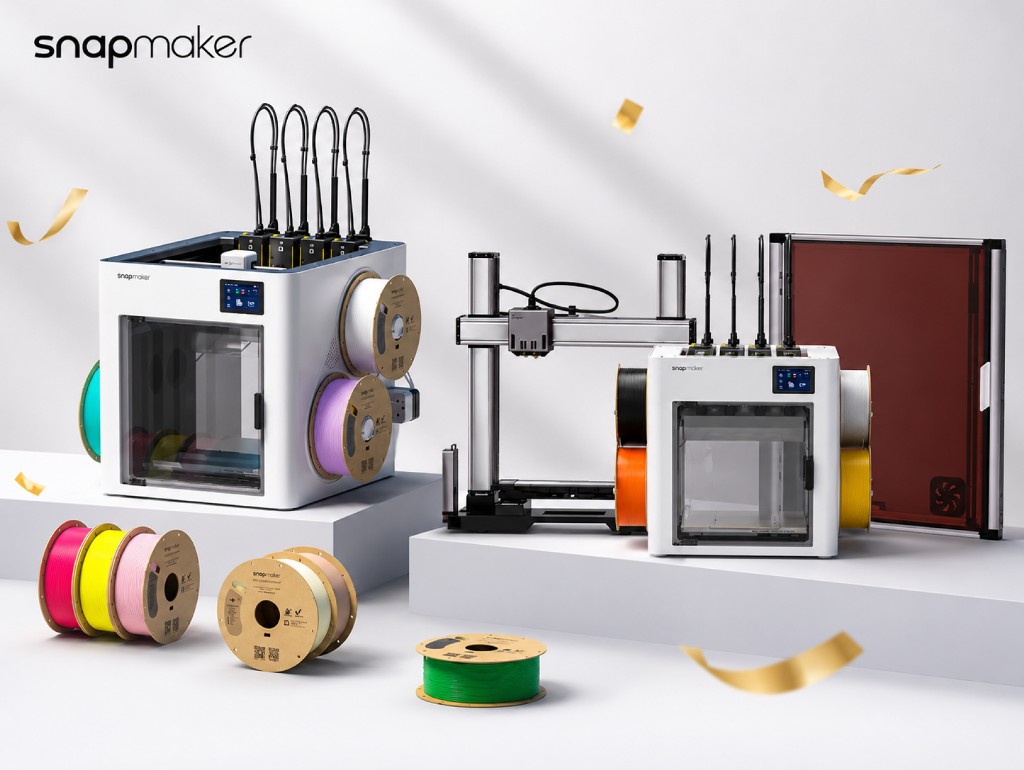
A 3D printer can open the door to an entirely new kind of creativity. You can design something digitally in the morning and have a physical version later the same day. But what happens when the project requires engraving, carving, or working with a different type of material? That is where Snapmaker EU becomes particularly interesting.
Snapmaker has developed an ecosystem around desktop fabrication, with dedicated 3D printers and multi-function machines that combine 3D printing, laser work, and CNC capabilities. Its EU store also carries filaments, replacement components, modules, and accessories. The range is designed for people who want to experiment with making rather than being restricted to a single process.
Whether you are a hobbyist creating models, a designer developing prototypes, a DIY enthusiast making useful household objects, or someone exploring a small creative business, Snapmaker gives you several routes from digital concept to finished object.
Snapmaker Is About Choosing How You Want to Make Something
There is no single best manufacturing method for every project. A 3D printer builds an object layer by layer. This makes it useful for complex shapes, prototypes, models, functional components, and customized objects. Laser technology takes a different approach. It can mark, engrave, or cut suitable materials, making it useful for decorative projects, signs, personalized products, and other applications. CNC machining removes material using a cutting tool. This opens another creative direction for projects involving wood, plastics, and other compatible materials.
Snapmaker's 3-in-1 machines bring these methods together. That means the same maker can move between different production techniques without needing an entirely separate hardware ecosystem for every type of project. The idea is especially appealing for people whose interests change frequently. One week might involve designing a 3D-printed storage solution. The next project could be a personalized wooden sign. Later, you might want to experiment with carving a design into a suitable material. Having multiple tools available makes experimentation easier.
Snapmaker U1 Brings Multi-Color Printing Into Focus
The Snapmaker U1 takes a more focused approach than the company's 3-in-1 machines. It is built specifically around 3D printing, with a four-toolhead system designed to make switching between colors and materials much faster.
The current EU product information lists SnapSwap technology, with toolhead changes taking around five seconds. The machine also supports multi-color and multi-material printing while aiming to reduce unnecessary filament waste.
The U1 has a 270 mm cubed build volume and can reach speeds of up to 500 mm/s, with acceleration listed at up to 20,000 mm/s².
That combination makes it particularly interesting for makers who print frequently and want to work with multiple materials. The four-toolhead design can also be useful when different parts of a print require different materials. For example, one material could be used for the main model while another is used for removable supports.
Snapmaker also provides automatic filament management and smart calibration features for the U1. The machine is therefore less about simply producing a colorful print and more about creating a workflow where changing materials does not become the biggest part of the project.
Artisan Combines Three Different Making Methods
If the U1 is focused on 3D printing, Snapmaker Artisan takes the opposite route. Artisan is designed as a 3-in-1 system combining 3D printing, laser work, and CNC carving. The machine provides a 400 × 400 × 400 mm workspace and uses a dual-extrusion 3D printing system. Depending on the configuration, it can also work with 10W or 40W laser modules and a 200W CNC setup. This makes Artisan suitable for people who want a much broader range of creative possibilities from one machine.
For example, a designer might print a prototype, use the laser module to create a decorative component, and then use CNC equipment for a separate part of the same project.
The benefit is not necessarily that every user will constantly use all three functions. Instead, the machine gives creators the option to choose the most suitable process for the job. The Artisan also uses a quick-change approach, making it easier to switch between different functions without turning the workspace into a collection of completely separate machines. For a home workshop, studio, classroom, or small creative workspace, that can make a noticeable difference in how much equipment is required.
Snapmaker 2.0 Remains Part of the Broader Ecosystem
The Snapmaker 2.0 series is another important part of the brand's product family. It combines 3D printing, laser engraving, and CNC cutting and is available in different configurations. For makers who want the versatility of a multi-function machine, the 2.0 platform offers another way into the ecosystem. One of the interesting aspects of Snapmaker's product approach is that the machines are supported by an ecosystem of modules and accessories. Depending on the compatible model, users can expand their setup with equipment such as laser modules, dual-extrusion hardware, rotary modules, enclosures, air purification equipment, and other additions. That means your workshop does not necessarily have to stay exactly the same as your skills develop.
A beginner might start with 3D printing and later decide that laser engraving is worth exploring. Another user might already have experience with CNC and want to add printing capabilities. The ability to expand can make the machine more useful over a longer period.
Software Matters as Much as the Hardware
A capable machine still needs good software to turn an idea into instructions it can follow. Snapmaker's software ecosystem includes Snapmaker Orca, the Snapmaker App, and Snapmaker Luban for supported workflows.
The U1 is particularly connected with Snapmaker Orca and the company's app, including access to curated models and printing-related tools. This is important for beginners because starting from a blank screen can sometimes be harder than using an existing model as a learning exercise. The software side can also matter to experienced makers who already have established workflows. A good fabrication setup should not only produce the final object. It should make the journey from design to production easier to understand and repeat.
That is why software, tutorials, community resources, and machine support all contribute to the overall usefulness of a desktop fabrication platform.
Snapmaker's Modules Let Your Workshop Grow
Laser Modules
Buy Now
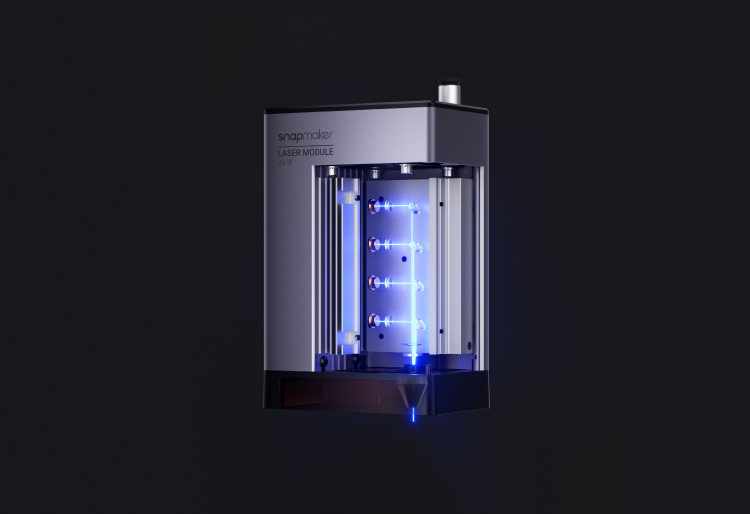
Snapmaker offers different laser options for compatible machines, including 10W and 40W configurations as well as an infrared laser module. The right choice depends on the machine and the intended material or application. Laser work can be used for suitable engraving and cutting projects, but users should always follow the manufacturer's safety instructions.
CNC Equipment
Buy Now
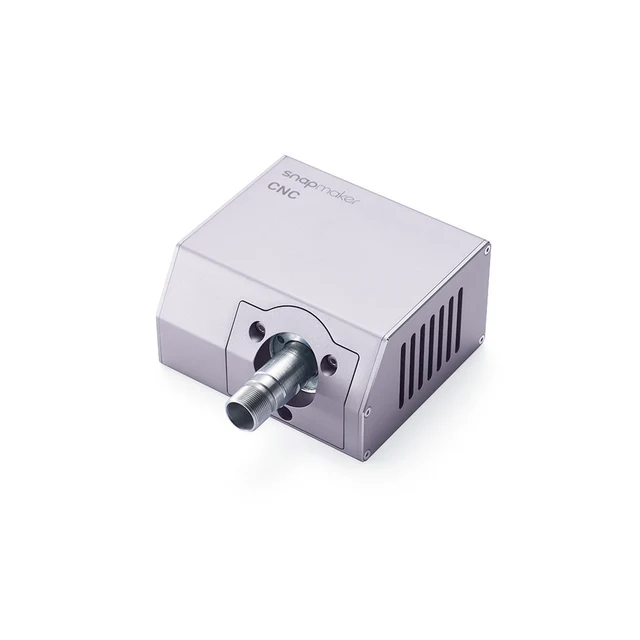
CNC capabilities give makers another way to work with compatible materials. Instead of building an object layer by layer, CNC machining removes material to create the desired form. This can be useful for carving, shaping, and creating designs with a different physical character.
Rotary Module
Buy Now
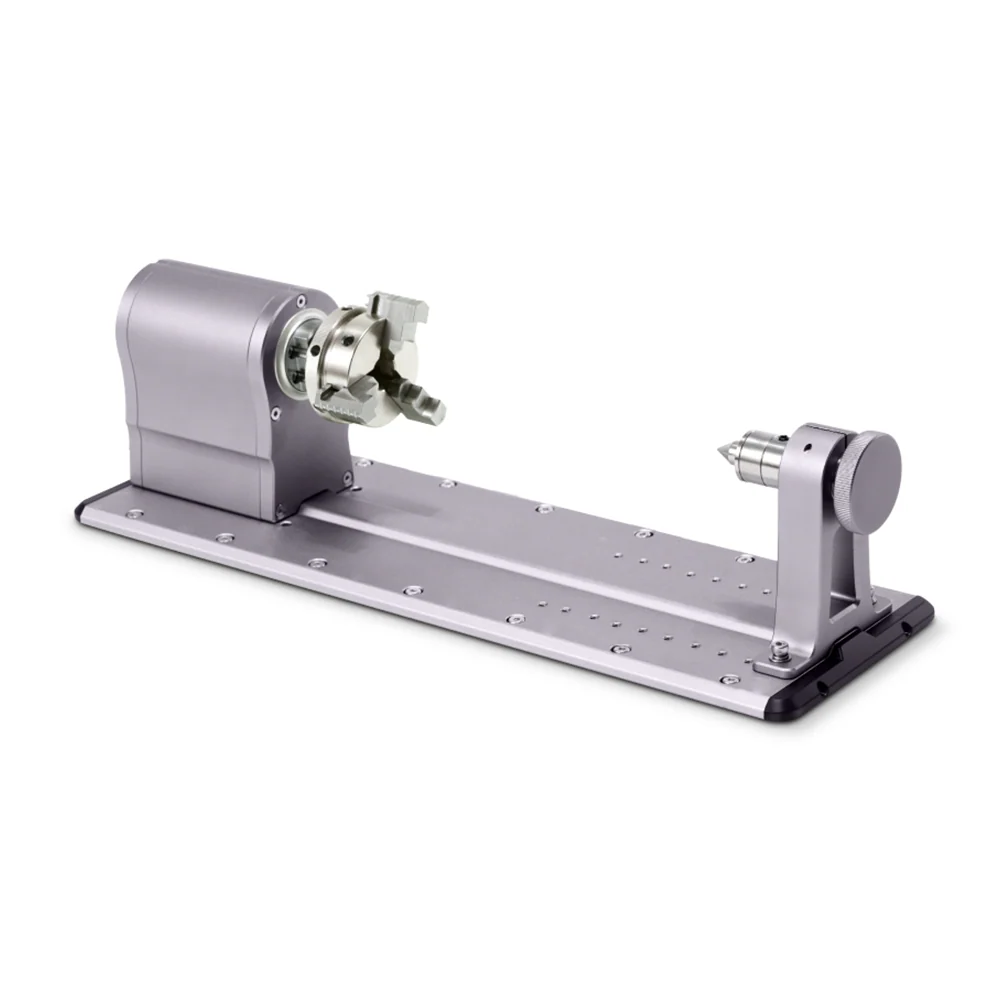
The Rotary Module expands compatible Snapmaker machines beyond flat work surfaces. It is designed to help makers work with cylindrical objects, creating opportunities for personalized and decorative projects.
Filaments and Replacement Accessories
Buy Now
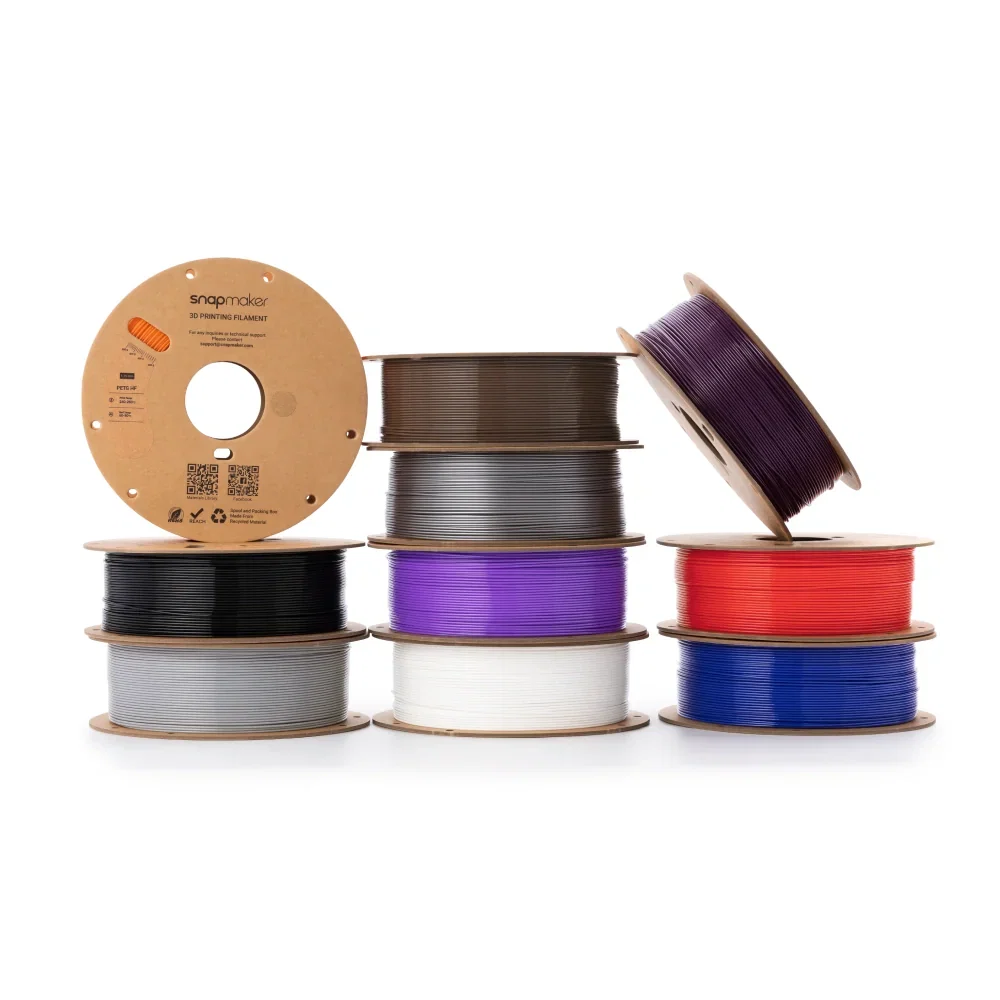
A fabrication machine needs ongoing supplies and maintenance. Snapmaker EU offers filaments, hot ends, build plates, CNC bits, toolheads, replacement components, and other accessories. Having compatible parts available within the same ecosystem can simplify long-term ownership.
What Can You Create With Snapmaker?
The possibilities depend heavily on the machine and materials you choose.
For 3D printing, common project categories include prototypes, replacement parts, models, organizers, toys, functional components, cosplay accessories, and custom designs.
With laser equipment, suitable projects can include engraved decorations, personalized gifts, signs, artwork, and other objects made from compatible materials.
CNC carving provides a different creative experience. Rather than adding material, the cutting tool removes material to reveal the intended design.
This distinction can change how you approach a project. Suppose you want to make a personalized sign. Laser engraving may be the natural choice. If you need a complex three-dimensional plastic part, 3D printing may be more appropriate. If you want a carved wooden design, CNC could be the better route.
That is the real appeal of a multi-function platform. You can choose the method according to the project rather than forcing every idea through the same machine.
Choosing the Right Snapmaker
Start with your most common projects.
If you mainly want fast, multi-color or multi-material 3D printing, the U1 is the more focused choice.
If you want to explore 3D printing, laser engraving, and CNC carving, a 3-in-1 system such as the Artisan makes more sense.
You should also consider the physical space available to you. Desktop fabrication equipment needs a suitable workspace, and some processes require additional safety and ventilation considerations. Material compatibility is equally important. Not every filament, sheet material, or workpiece is appropriate for every machine or module.
Finally, consider how likely you are to expand your setup.
If you know that your interests will probably move into different forms of making, a modular ecosystem can provide more flexibility than a machine designed around one process.
Explore Snapmaker EU and discover the latest machines and accessories
Frequently Asked Questions
What is Snapmaker?
Snapmaker develops desktop fabrication equipment including 3D printers, multi-function machines, modules, filaments, accessories, and software.
What is the Snapmaker U1?
The U1 is a dedicated 3D printer featuring four toolheads, multi-color and multi-material capabilities, automatic filament management, smart calibration, and high-speed printing.
How fast is the Snapmaker U1?
The current product information lists a maximum speed of up to 500 mm/s and acceleration of up to 20,000 mm/s².
What is the Snapmaker Artisan?
Artisan is a 3-in-1 machine combining 3D printing, laser engraving and cutting, and CNC carving. It provides a 400 × 400 × 400 mm workspace.
Can Snapmaker machines be expanded?
Yes. Compatible Snapmaker systems can be expanded with different modules and accessories, including laser equipment, rotary hardware, additional printing components, enclosures, and other tools.
Does Snapmaker sell filament?
Yes. Snapmaker EU offers different filament options, including PLA and ABS, as well as other compatible materials and accessories.
Final Thoughts
Snapmaker stands out because it approaches desktop fabrication as a broader creative process rather than limiting users to one type of machine. The U1 gives 3D-printing enthusiasts a modern toolchanger-based setup for multi-color and multi-material work, while the Artisan gives makers the ability to move between 3D printing, laser work, and CNC carving. The wider ecosystem adds another layer of flexibility through modules, filaments, replacement parts, software, and accessories. The right choice ultimately comes down to your projects. If you want to focus almost entirely on 3D printing, the U1 may be the natural starting point. If you want to experiment across several fabrication methods, a 3-in-1 machine can provide considerably more creative freedom.
Either way, Snapmaker gives makers plenty of room to learn, experiment, and develop new skills.
Start Creating With Snapmaker
Ready to turn your digital ideas into physical projects?
Visit Snapmaker EU and explore the latest 3D printers, modules, and accessories
Find the equipment that matches your creative goals and start exploring what you can make with a more flexible desktop workshop.
